Permanent banner
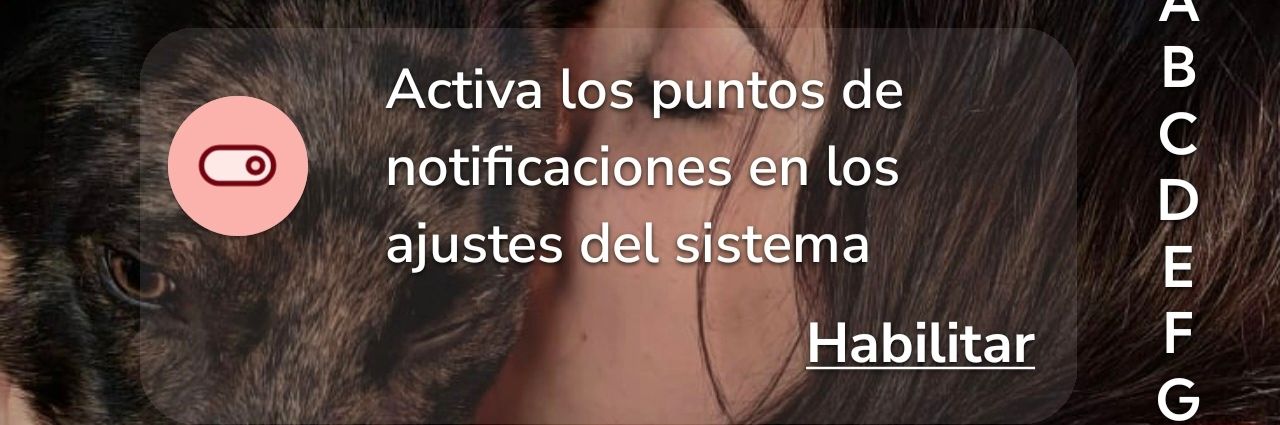
Since The latest upgrade its always there. I can activate or deactivate all the feautures but it doesnt work.
- Manufacturer and Device Name
- Android Version
- Problem occurs with other Launchers
- Third-Party Launchers Tested
- Niagara Launcher Version
Log in to comment and vote
Comments1
NL Help Bot
Sep 24
Thanks for the screenshot, that narrows it down. The banner is asking for a setting in Android's own system settings (notification dots, sometimes called app icon badges), not for one inside Niagara, which is why switching Niagara's own features on and off doesn't clear it. On most devices that toggle lives in the system settings under Notifications.
Could you tell us here in the thread what happens when you tap "Habilitar": does it open the system settings, and is the notification dots option already switched on there? A banner that sticks around even though the setting is on is a different bug from one that simply never gets satisfied, and knowing which of the two it is tells us where to look.