Notification bar icons not syncing with launcher's built-in icon pack
When using Niagara Launcher's built-in icon pack, the icons on the home screen update correctly, but the notification bar still displays the original app icons instead of the ones from the selected icon pack.
Steps to reproduce:
Open Niagara Launcher settings
Apply the built-in icon pack
Check the home screen — icons are updated correctly
Pull down the notification shade — icons still show the original app icons
Expected behavior:
Notification bar icons should reflect the icon pack applied in Niagara Launcher.
Actual behavior:
Notification bar continues to display the default/original app icons after applying the built-in icon pack.
Note: Wallpaper has already been changed and is displaying correctly. Only the notification icons are out
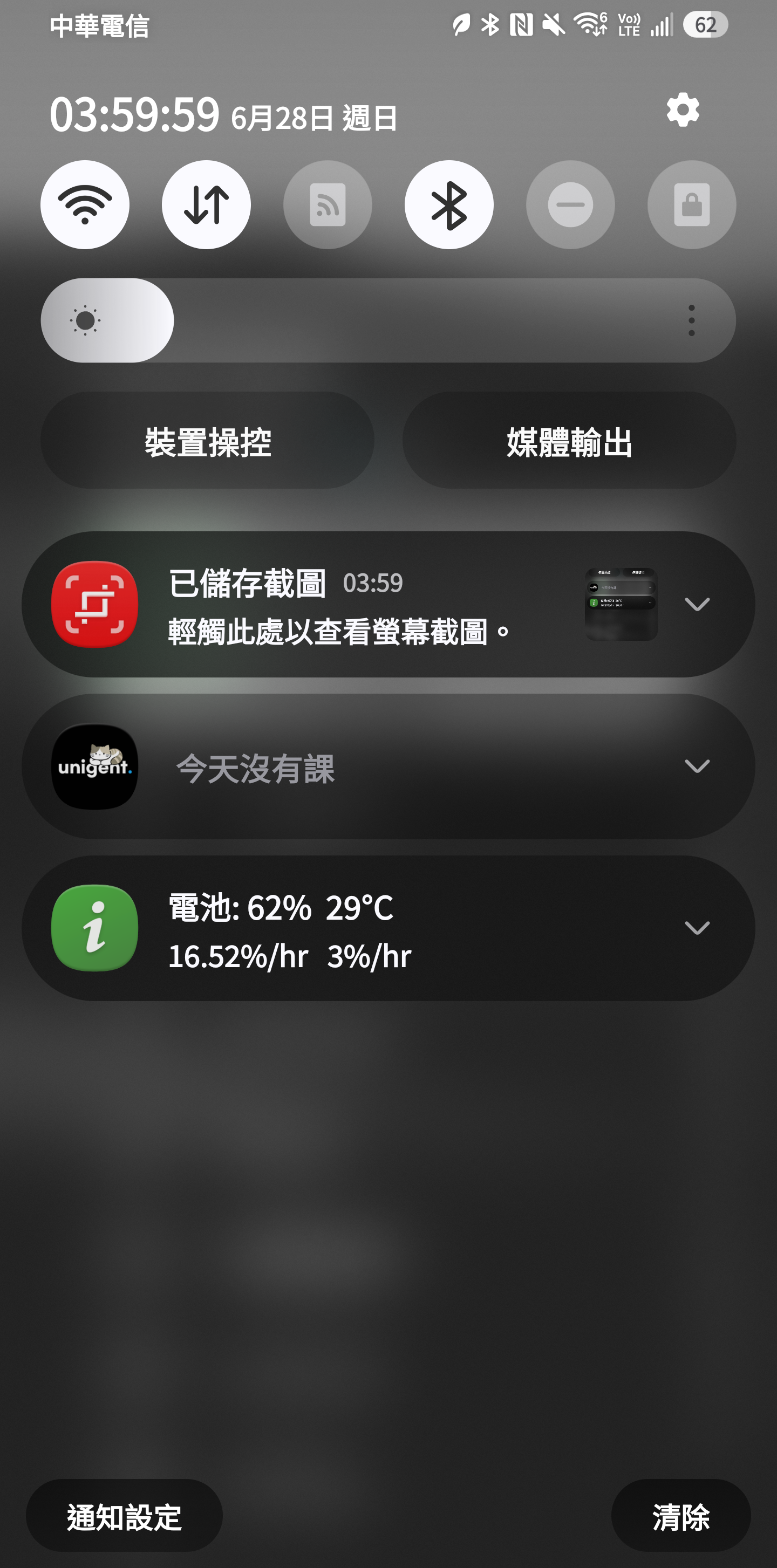
of sync.
- Manufacturer and Device Name
- Android Version
- Problem occurs with other Launchers
- Niagara Launcher Version
Log in to comment and vote
No comments yet
Be the first to share your thoughts.