Niagara sometimes replaces an app in overview
Describe the bug
While using gesture navigation in my Pixel, sometimes, going into overview will result in the Niagara Launcher app taking the place of the last opened app. This makes the app impossible to access, as clicking on it in the overview opens the home screen.
Steps to reproduce
Reproduction is difficult and inconsistent between different devices, but happens often enough to actively investigate the issue.
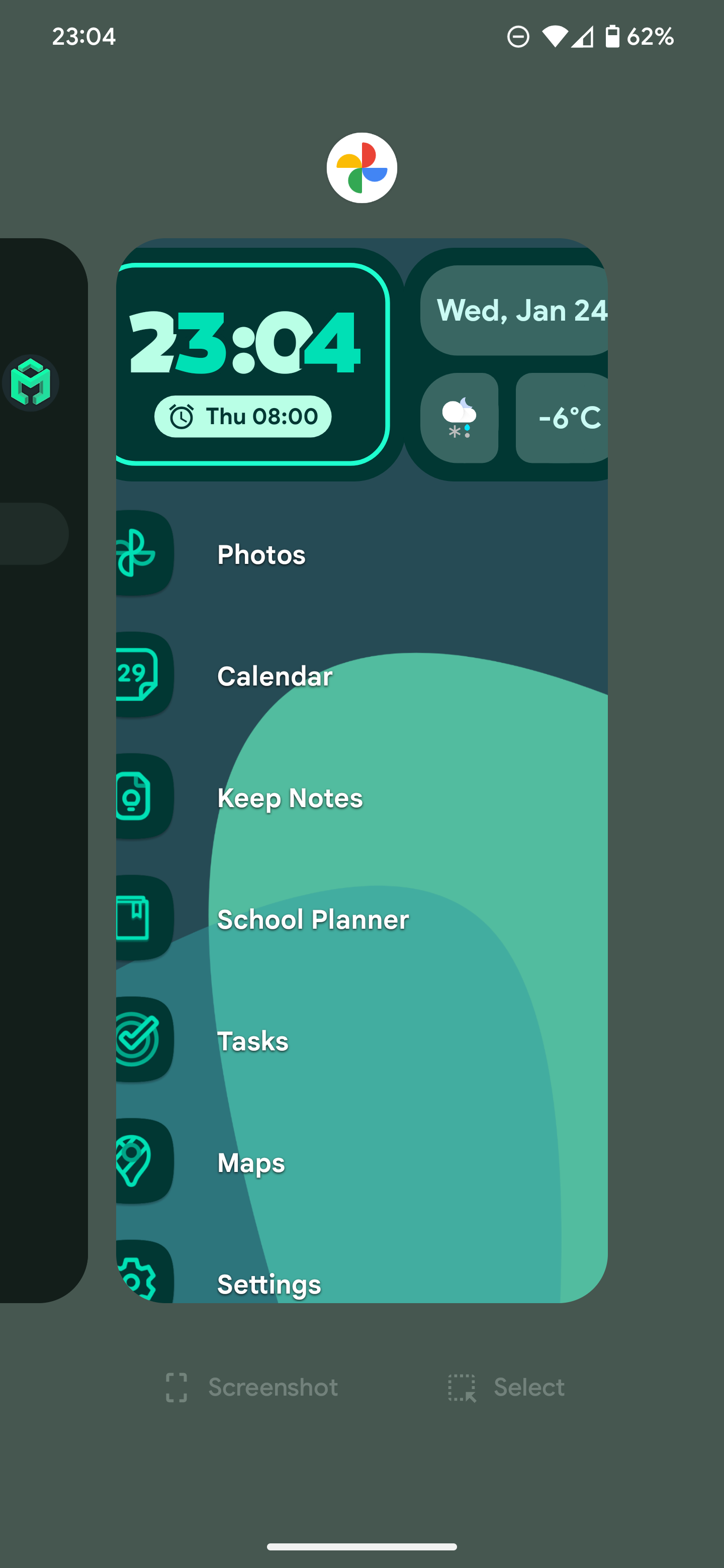
Current status
After investigating and with enormous help from one of our users (@itpeters on GitHub), we identified and addressed a possible cause. We have gotten reports that the issue no longer appears on the regular but appears after Niagara Launcher is installed or updated. When that happens, please restart Niagara Launcher to fix the issue (Niagara settings > Advanced > Restart launcher).
- Manufacturer and Device Name
- Android Version
- Problem occurs with other Launchers
Log in to comment and vote
Comments8
ssssaaaa
Oct 4
I experience this too, often with Spark email app.
On Zenfone 9 running Android 14.
Cinema8229
Feb 6
Issue still occurs on my end on Pixel 9 Pro as well… It occurred on my Pixel 7 before
Anton Kozyriatskyi
Jan 8
Still has this bug
Pixel 9 Pro
Android 16
Niagara 1.15.6
Salvatore Manfredi
Jan 5
It keeps happening to me too. I have tried Lawnchair for one day and it did not trigger the issue.
Device: Pixel 9a
Android version: 16
Niagara version: 1.15.6
Amul Malviya
Dec 24, 2025
okay 🥰
Amul Malviya
Dec 24, 2025
[Deleted User]
Nov 13, 2025
Last app is transparent and I can see the app list underneath.
Steps to reproduce: if you use the ‘IO’ app is very easy to reproduce the bug. It happens every time.
PS: I've tried to do the same on the pixel launcher, but the bug is only on Niagara. I'm using a Pixel 8 (android 16)
Shipit215
Aug 17, 2025
Last app in overview still showing transparent “Niagara app" & clearing it or all recents restarts launcher. Pixel 8 on Android 16.