Allow customizing or theming system icons (Recently installed, Niagara settings, etc.) when using a third-party icon pack
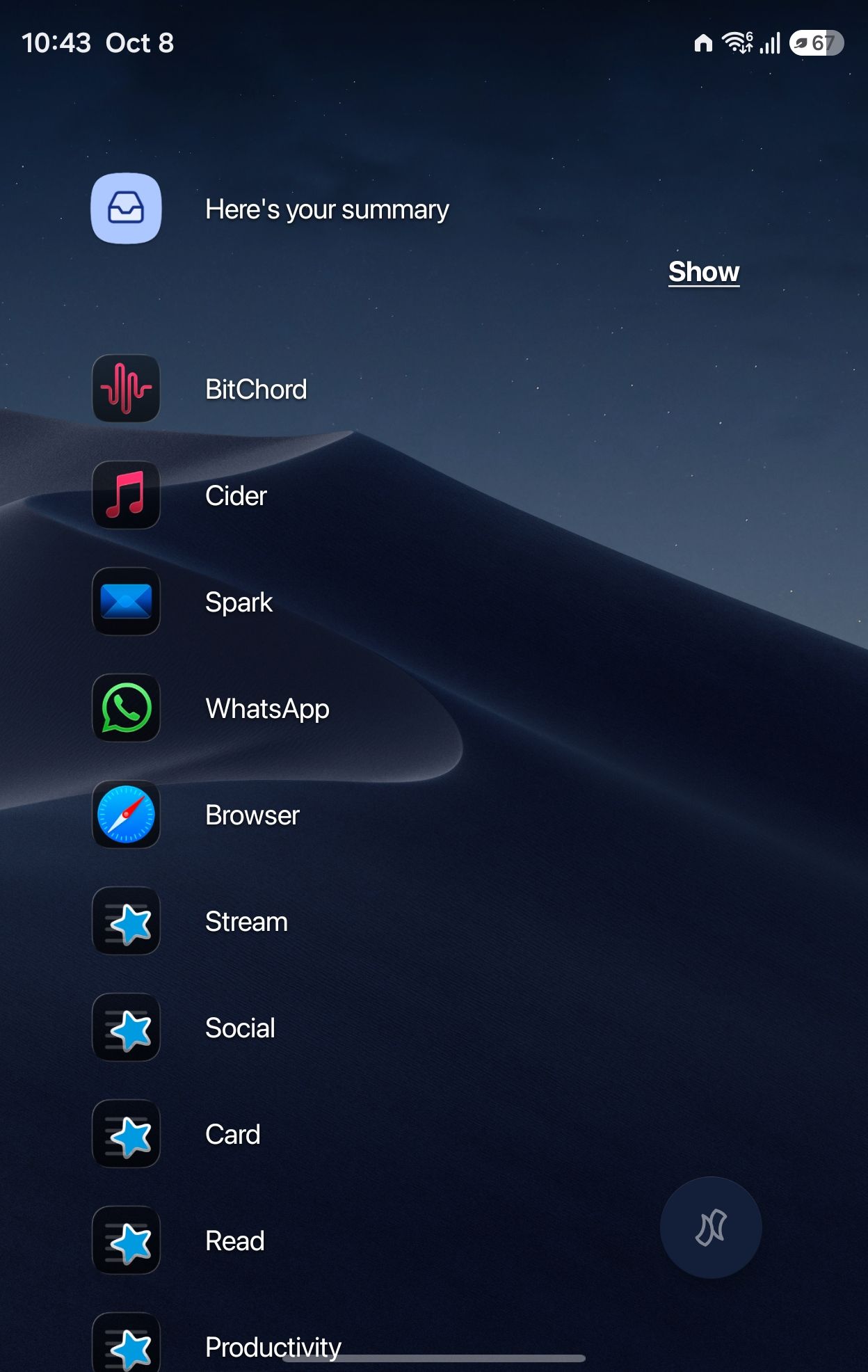
I'm using a third-party icon pack in Niagara Launcher, and it applies well to my installed apps. However, the launcher's built-in icons don't follow the pack and can't be changed. These include Recently installed, Niagara settings, and the other icons in the "Niagara Launcher" section of the app list. They keep the default light-blue style, which clashes with the rest of my icons.
Requested feature:
Let the launcher's built-in icons follow the active icon pack (when the pack includes matching icons), or
Add an option to manually pick or replace icons for these entries, or
Add a toggle to apply the icon pack's style or tint to the built-in icons.
Why it matters:
Icon packs are meant to give a consistent look. Having a few icons that can't be themed breaks the visual consistency, especially in a minimal, dark setup like Niagara's.
Current behavior: Built-in icons ignore the installed icon pack and have no customization option.
Expected behavior: Built-in icons can be themed or changed, either automatically through the icon pack or manually in settings.
Setup: Niagara Launcher with a third-party icon pack, dark wallpaper, Android.
Thanks for the great launcher!
- Category
- Customization
Log in to comment and vote
No comments yet
Be the first to share your thoughts.